
Blog
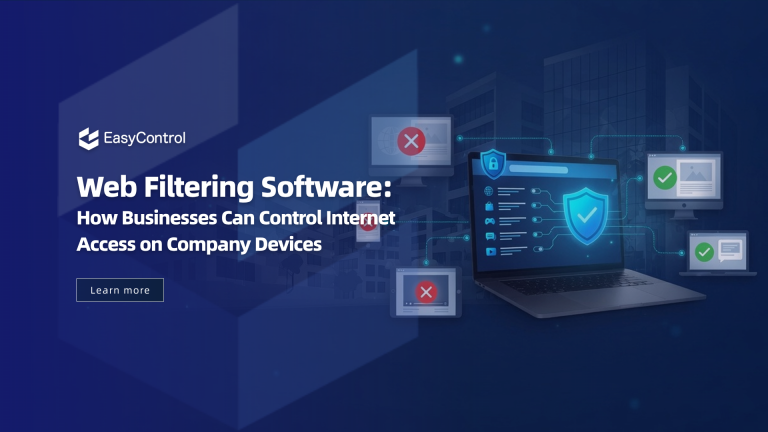
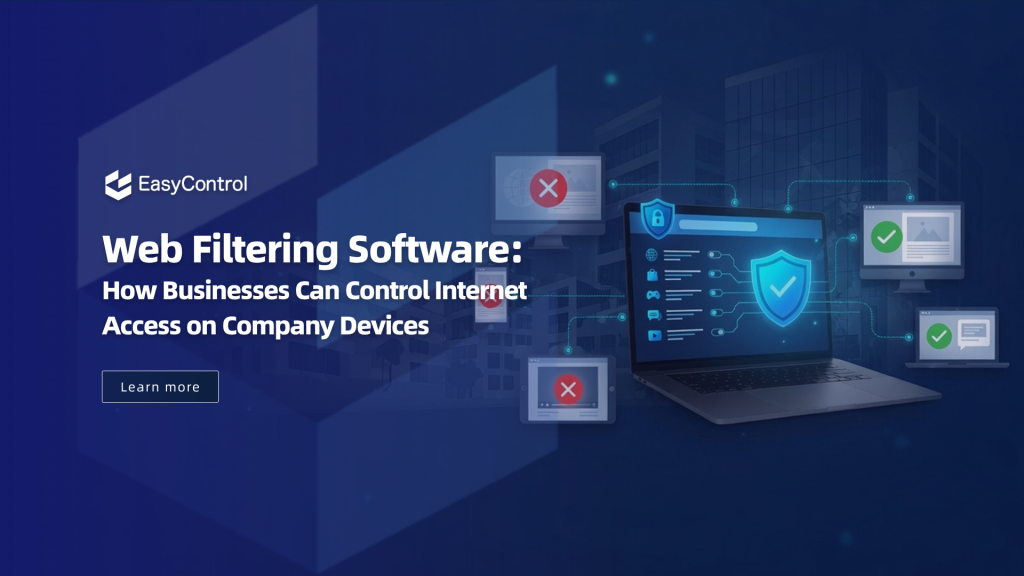
Web Filtering Software: How Businesses Can Control Internet Access on Company Devices
Internet-connected devices have become important for business operations, supporting tasks such as customer service, inventory management, remote work, logistics, and healthcare services. As organizations deploy more connected devices, managing internet access becomes increasingly important. Unrestricted browsing can expose company devices to phishing attacks, malware, unauthorized websites, and other cybersecurity threats while also affecting employee productivity....
- Published
- Jul 10, 2026
- Updated
- Jul 17, 2026
Internet-connected devices have become important for business operations, supporting tasks such as customer service, inventory management, remote work, logistics, and healthcare services. As organizations deploy more connected devices, managing internet access becomes increasingly important. Unrestricted browsing can expose company devices to phishing attacks, malware, unauthorized websites, and other cybersecurity threats while also affecting employee productivity.
Web filtering software helps organizations enforce safe browsing policies by controlling which websites users can access. With centralized management, IT teams can apply consistent internet access rules across all managed devices, whether they are used in offices, retail stores, or by remote employees ensuring stronger security, compliance, and operational efficiency.
What Is Web Filtering Software?
Web filtering software is a security solution that controls internet access by allowing or blocking websites according to predefined organizational policies.
Instead of allowing unrestricted internet access, administrators can set rules specifying which websites, domains, or content categories are accessible on company-managed devices.
Modern web filtering solutions operate at the device level, allowing organizations to enforce browsing policies whether devices connect via corporate Wi-Fi, public hotspots, or mobile data.
Unlike traditional network filtering, which protects only devices connected to an organization’s internal infrastructure, endpoint-based web filtering follows the device wherever it goes. This makes it particularly valuable for businesses with remote employees, field technicians, retail locations, or distributed operations.
Why Businesses Need Web Filtering Software
Internet access is necessary for nearly every business function, but unrestricted browsing creates unnecessary risks that can impact both security and productivity.
Reduce Cybersecurity Risks
One accidental click on a phishing website can expose company credentials, install malware, or compromise sensitive business information.
Web filtering software helps reduce these risks by blocking:
- Phishing websites
- Malware distribution sites
- Fake login pages
- Suspicious downloads
- Known security threats
- Unauthorized web services
Instead of depending solely on employee awareness, organizations can proactively prevent users from reaching dangerous websites.
Improve Employee Productivity
Many organizations provide internet access because employees need cloud applications, collaboration tools, and research resources.
However, unrestricted browsing may also lead to excessive use of:
- Social media
- Video streaming platforms
- Gaming websites
- Entertainment portals
- Personal shopping sites
By implementing a web filtering solution for enterprises, organizations can encourage employees to stay focused on work-related activities without eliminating internet access.
Protect Dedicated Business Devices
Many enterprise devices are designed for a single purpose.
Examples include:
- Retail POS tablets
- Restaurant ordering systems
- Digital kiosks
- Warehouse scanners
- Healthcare terminals
- Visitor registration tablets
These devices do not need unrestricted browsing and should access only approved business applications and trusted websites.
Web filtering keeps dedicated devices focused on their intended use and reduces the risk of misuse.
Common Business Use Cases
Retail Operations
Retail businesses often deploy hundreds of Android tablets across multiple store locations.
These tablets may be used for:
- Product lookup
- Inventory management
- Customer registration
- Mobile checkout
- Price verification
Without proper controls, customers or employees may access unrelated websites or alter device settings.
Web filtering combined with device management allows IT administrators to create store-specific browsing policies while maintaining centralized control.
Logistics and Warehousing
Warehouse workers frequently use rugged handheld devices connected through Wi-Fi or cellular networks.
These devices typically need access only to:
- Inventory systems
- Delivery applications
- Warehouse management software
- Internal company portals
Blocking unnecessary websites maintains operational efficiency and reduces distractions and security risks.
Field Service Teams
Technicians, delivery drivers, inspectors, and sales representatives often work outside traditional office environments.
Because these employees use various networks, including public Wi-Fi and mobile data, network-based filtering alone cannot ensure consistent protection.
Device-level web filtering keeps browsing policies active on any network.
Education and Training
Educational institutions frequently deploy tablets for students, teachers, and administrative staff.
Web filtering helps schools block inappropriate content and ensure access to educational resources and approved platforms.
How Does Web Filtering Software Work?
Modern web filtering solutions combine several technologies to provide flexible and scalable internet access control.
URL Filtering
Administrators can allow or block specific websites based on their exact URL.
For example:
Allowed
- Company portal
- Microsoft 365
- Google Workspace
- Internal applications
Blocked
- Gambling websites
- Adult content
- Unauthorized cloud storage
- Suspicious domains
This method provides precise control over internet access.
Category-Based Filtering
Managing thousands of individual websites is impractical.
Instead, administrators can block entire categories, including:
- Social media
- Streaming services
- Gaming
- Adult content
- Malware
- Phishing
- Cryptocurrency mining
- Anonymous proxy services
Category-based filtering simplifies policy management while improving overall security.
Policy-Based Access Control
Different departments often require different internet permissions.
For example:
A retail kiosk may allow access only to a product catalog.
A warehouse scanner may access only inventory systems.
A finance department may require broader internet access but stricter security controls.
A marketing team may need access to social media platforms while other departments do not.
Policy-based management enables easy implementation of these scenarios from a centralized console.
Web Filtering Software and Unified Device Management
Web filtering is effective on its own but becomes more powerful when integrated with a Unified Device Management platform.
A UDM platform enables organizations to manage the entire lifecycle of enterprise devices from a single dashboard.
Typical capabilities include:
- Device enrollment
- Remote configuration
- Application deployment
- Security policy enforcement
- Kiosk mode
- Remote troubleshooting
- Device monitoring
- Location tracking
- Compliance reporting
- Internet access management
For example, imagine a retailer deploying 1,000 Android tablets across 200 stores.
Using a UDM platform, the IT team can automatically enroll every device, install required applications, configure enterprise web filtering software, enforce kiosk mode, monitor device health, and remotely update browsing policies, all without visiting individual store locations.
This centralized approach reduces administrative effort and improves consistency across all managed devices.
Web Filtering Software vs Traditional Network Filtering
Traditional network filtering has long protected corporate environments, but today’s workforce is no longer confined to office networks.
| Feature | Traditional Network Filtering | Web Filtering Software |
| Works outside the office | Limited | Yes |
| Protects mobile devices | Limited | Yes |
| Supports remote workers | Limited | Yes |
| Device-level policies | No | Yes |
| Centralized management | Partial | Yes |
| Suitable for distributed businesses | Limited | Excellent |
As hybrid work and mobile operations continue to expand, device-based filtering offers greater flexibility and stronger security.
How to Choose the Right Web Filtering Software for Enterprises
Selecting web filtering software involves more than blocking websites. The best solution offers centralized control, broad device support, and integration with your endpoint management strategy. Consider these key factors before deciding.
Device Compatibility
Organizations often manage a variety of company-owned devices across multiple operating systems. Ensure your chosen solution supports all devices in use, including:
- Android Enterprise devices
- iPhones and iPads
- Windows PCs and laptops
- macOS devices
- Dedicated-purpose kiosks
- Rugged handheld terminals used in logistics, warehousing, and field operations
Comprehensive platform support ensures consistent internet access policies across all managed endpoints.
Centralized Policy Management
Managing web access individually on hundreds of devices is both inefficient and difficult to maintain. A centralized management console allows IT administrators to create and enforce browsing policies from a single location.
Look for features such as:
- Creating custom web filtering policies
- Assigning rules to individual users or device groups
- Monitoring compliance across all managed devices
- Generating security and usage reports
- Updating policies remotely without requiring physical access to devices
Centralized administration reduces IT overhead and ensures consistent policy enforcement across the organization.
Scalability
As businesses grow, managed device numbers can increase rapidly. The right web filtering solution should scale easily from small to large deployments without adding complexity or affecting performance.
Cloud-based management, automated policy deployment, and bulk device configuration simplify large-scale operations.
Integration with Unified Device Management
For organizations with large device fleets, web filtering is most effective when integrated with a Unified Device Management platform. IT teams can then manage devices and internet access from a single console.
For example, EasyControl UDM combines Unified Device Management capabilities with centralized policy management, allowing administrators to enroll devices, deploy applications, configure kiosk mode, enforce security policies, and apply web filtering rules across Android, Windows, macOS, and other supported endpoints. This unified approach simplifies device management while helping organizations maintain secure and controlled internet access across distributed workforces.
Choosing a solution that combines robust web filtering with comprehensive device management improves security, reduces complexity, and keeps company devices focused on business-critical tasks.
Best Practices for Implementing Web Filtering Software
Successful implementation requires more than just blocking websites.
Organizations should:
- Define acceptable internet usage policies.
- Create role-based browsing rules for different departments.
- Regularly review blocked and allowed website lists.
- Monitor security reports to identify emerging threats.
- Combine web filtering with endpoint management, application control, and security policies for comprehensive protection.
- Educate employees about safe browsing practices to reduce human error.
These practices help organizations balance security, productivity, and user experience.
Conclusion
As businesses continue to deploy connected devices across offices, retail locations, warehouses, healthcare facilities, and remote workforces, controlling internet access has become a fundamental part of enterprise security.
Web filtering software reduces cybersecurity risks, improves productivity, and ensures company devices are used for business purposes. Unlike traditional network solutions, modern web filtering applies policies directly to managed devices, providing consistent protection wherever employees work.
When integrated with Unified Device Management, web filtering becomes part of a broader endpoint management strategy, including device enrollment, application deployment, policy enforcement, kiosk mode, remote support, and compliance monitoring. This unified approach lets IT teams securely manage large-scale deployments while maintaining efficiency and reducing administrative overhead.
For organizations seeking stronger device security without sacrificing flexibility, combining web filtering with centralized device management offers a scalable, future-ready solution.
Frequently Asked Questions
What is web filtering software used for?
Web filtering software enables organizations to control internet access, block unsafe websites, enforce acceptable use policies, and protect company-managed devices from online threats.
Can web filtering software work on mobile devices?
Yes. Modern enterprise solutions support Android Enterprise devices, iPhones, iPads, Windows laptops, rugged handheld terminals, and other managed endpoints.
Is web filtering the same as firewall filtering?
No. Firewalls primarily inspect and control network traffic, whereas web filtering software focuses on allowing or blocking access to website content based on organizational policies.
Can web filtering software be managed remotely?
Yes. When integrated with an MDM and UDM platform, administrators can remotely configure, update, and monitor web filtering policies across all managed devices from a centralized dashboard.
Which industries benefit the most from web filtering software?
Retail, healthcare, logistics, education, hospitality, manufacturing, financial services, and field service organizations all benefit from web filtering because they manage connected devices that require secure, controlled internet access.
Tags
Related Articles
Blog
What Is iOS Device Management? Complete Guide
Why iOS Device Management Matters for Businesses iPhones and iPads have become useful tools for businesses of all sizes. Employees use them to communicate, access company applications, manage customer information, complete fieldwork, and perform everyday tasks. Schools, retailers, healthcare organizations, and hospitality businesses also rely on Apple devices for specialized operations. But managing one or...
Sep 15, 2026
Blog
Non Compliance and Compliance: A Guide to Compliance Risk Management
Managing hundreds or thousands of smartphones, tablets, rugged devices, and other enterprise endpoints is a major challenge for IT and security teams. Every device that accesses business applications or company data must meet defined security, configuration, application, and management requirements. Understanding device compliance and non-compliance helps organizations determine whether their devices meet these requirements. However,...
Aug 27, 2026
Blog
What Is a Conditional Access System and Why Is It Important for Zero Trust Security?
Quick Answer: A conditional access system is a security framework that evaluates user identity, device compliance, security policies, location, and risk before granting access to enterprise resources. It is a key part of Zero Trust security because it verifies every access request instead of automatically trusting users or devices. Introduction In the last decade, there...
Aug 10, 2026
Continue exploring EasyControl resources
Go deeper with documentation, strategic guides, customer stories, and video content across the resource center.