
Blog
What is Mobile Device Management (MDM) & Why IT Needs It for Deployments?
MDM, or Mobile Device Management, is a centralized technology for managing devices such as smartphones, tablets
- Published
- Jun 14, 2024
- Updated
- Jun 11, 2026
What is Mobile Device Management (MDM)?
MDM (Mobile Device Management) is a technology for the centralized management of mobile devices. Through device interfaces and integrated multi-platform communication protocols, it aims to manage and control devices such as smartphones, tablets, and computers with Android, iOS, Windows, Linux, and other operating systems.
Background of the Mobile Device Management Industry

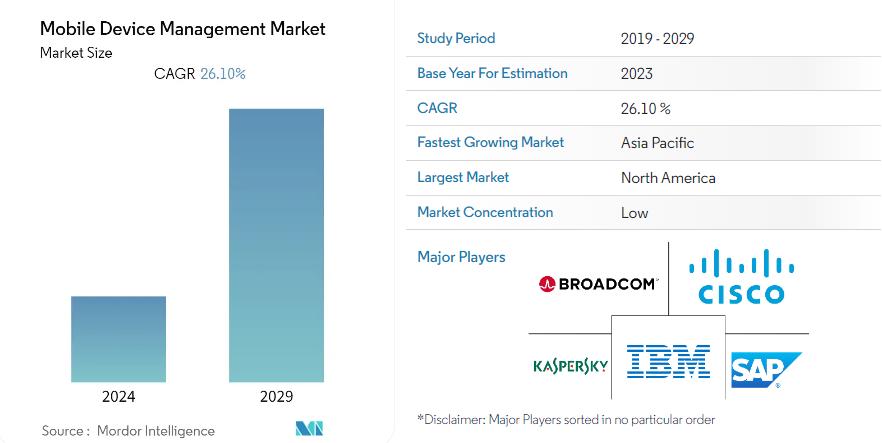
Mobile Device Management (MDM) Market Size Source: https://www.mordorintelligence.com/industry-reports/mobile-device-management-market
As the process of informatization deepens, data security is increasingly valued, and traditional asset management can no longer meet the refined needs of enterprises for device management. According to forecasts by the market research firm IDC, the global Mobile Device Management (MDM) market size reach 6.9 billion US dollars by 2024 and is expected to grow to 22 billion US dollars by 2029. The predicted period’s compound annual growth rate (CAGR) will reach 26.1%. The main factors driving market growth include the increasingly serious security situation, the demand for managing protecting a growing number of mobile devices, the proliferation of cloud-based MDM solutions, and the growing demand for remote management functions. Mobile Device Management is increasingly becoming an essential solution for enterprises to improve management efficiency, reduce costs, and achieve compliance.
How to Implement Mobile Device Management?

1. Enterprise Mobile Management (EMM)
Mobile Device Management, specifically mentioned here, refers to the Android device management capabilities provided by Google. As the developer of the Android operating system, Google also offers corresponding device management capabilities for managing devices running Android 5.0 or higher. These devices support device management modes, allowing enterprise IT administrators to manage and enrolled devices. The management capabilities vary according to different types of device enrollment.
Android Enterprise uses Device Policy Controller (DPC) apps to enforce device management policies. Device management solutions provided to customers generally include the device-end Device Policy app (DPC app) and a cloud-based EMM console. Enterprise customers can enroll devices apply management policies to devices enrolled using the EMM console. Enterprises can also achieve device management by integrating Google’s EMM device control SDK.
DPC apps can run on both personal and company-owned devices. Android Enterprise can use the following device management modes:
– Fully managed device (also known as device owner mode): DPC app becomes the device owner during setup to manage the entire device. This type of device management is intended for work purposes on organization-owned (company-owned) devices.
– Work profile (also known as managed profile mode): The DPC app becomes the profile owner and manages only the work profile on the device, which contains personal profiles. This type of device management can be used on personal devices or organization-owned devices.
The capabilities of the Device Owner and Work Profile are different in terms of the authorized functions and control strength; we will not elaborate here but will introduce them separately later.
If you want to use Google’s EMM method control devices, enterprises need to first register a Google Enterprise account. Devices can establish an association with the enterprise account by enrolling through QR codes, NFC-based enrollment, account-based, or cloud-based enrollment. It should be noted that devices registered through EMM must comply with and pass the GMS framework specifications to be successfully and managed.
2. Mobile Device Management (MDM)
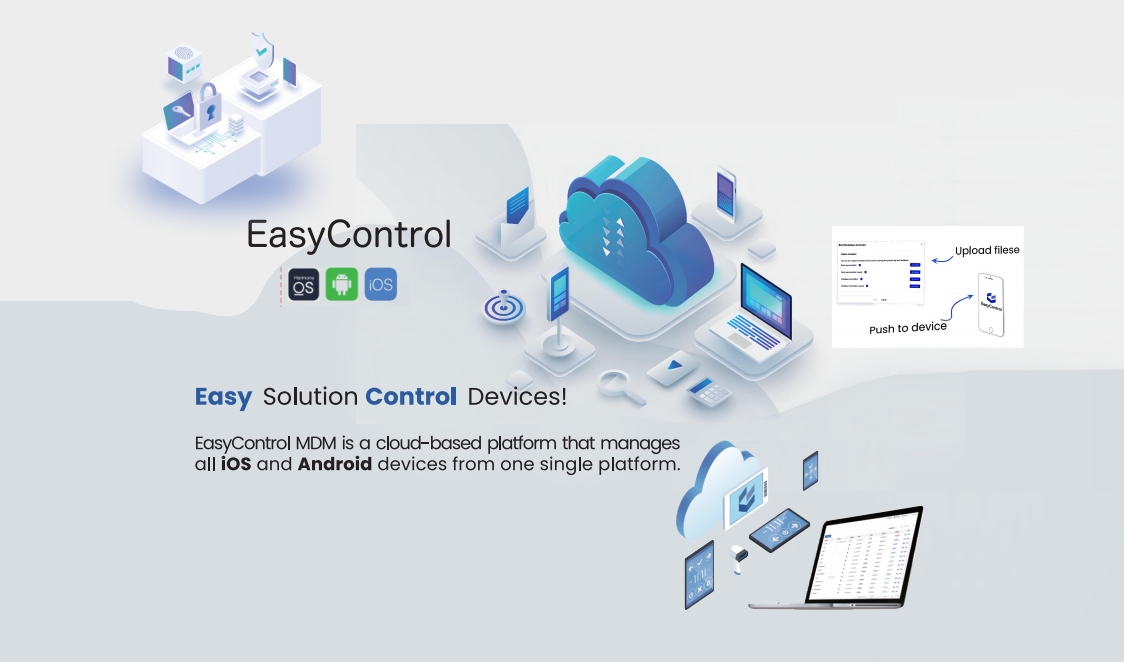
Mobile Device Management providers access the MDM platform through network protocols and interact with device interfaces through DPC to achieve functions such as device status reporting, policy distribution, etc., to accomplish the purpose of device management. This type of control over devices is more flexible and supports wider variety of devices. It is worth noting that such methods of device control still need to comply with regulations and standards such as GDPR for data and HIPAA for healthcare.
(1) Management of Android Devices
Currently, mainstream Android MDM platforms generally use Device Policy Controllers (DPC) to manage devices. A DPC refers software installed on a mobile device, acting as a bridge between the MDM server and the device. DPC is typically presented in the form of a device app, pre-installed in the device’s ROM, or post-installed in the device in other ways. With different enrollment methods (obtaining different device permissions and different devices, DPC can perform the following operations:
1. Device Enrollment
Enrollment is the first and critical step in MDM, enabling the MDM server to identify and manage devices. The DPC usually manages the enrollment process as follows:
– Device Discovery: The DPC actively searches for nearby devices or for the user to manually initiate enrollment.
– Device Communication: The DPC establishes a connection with the device and performs authentication.
– Device Information Collection: The DPC collects basic information from the device, such as the device model, operating system version, IMEI number, etc.
– Device Enrollment: The DPC the device information to the MDM server and adds it to the list of managed devices.
After successful enrollment, the device establishes a communication channel with the MDM server and regularly reports its status and updates its policies.
2. Policy Enforcement
MDM policies are a set of configuration settings that manage device behavior and security. can cover a wide range of settings, such as:
Password policies, application control, Wi-Fi and VPN configurations, data encryption, remote wipe, locking, etc.
The DPC is responsible for receiving policies from the MDM server and applying them to the device. Specifically, the DPC interprets policies into a understandable by the device and implements them item by item. If the policy is not complied with, the DPC will issue a warning or take corrective action.
3. Device Status Reporting
The DPC regularly collects device status information and sends it to the MDM server. This information usually includes:
Device location, battery level storage space usage, application usage, security incidents.
MDM servers can use this information to monitor the health of devices, identify potential issues, and measure the effectiveness of policies. The achievable functions depend on the APIs that the device can provide.

(2) Management of iOS Devices
By deploying a mobile device management (MDM), administrators can securely remotely configure enrolled devices. Administrators use Apple School Manager or Apple Business Manager to enroll devices owned by the organization for management. Users can enroll their own devices. After enrolling the device, administrators can update software and device settings, monitor compliance with organizational policies, remotely wipe or lock the device, and apps and books purchased through Apple School Manager or Apple Business Manager. The management process is divided into the following steps:
Step 1: Link to Apple or an Authorized Reseller – Link your Apple Customer Number or Reseller Number to Apple Business Manager (ABM); after the linkage, any orders for iPhones, iP, Apple TVs, and Mac computers will automatically appear in Apple Business Manager.
Step 2: Link to a Third-Party MDM Solution – It’s also essential to link at least one third-party MDM solution in ABM before you can start assigning devices.
Step 3: Adding Devices to Apple Business Manager – purchased with your Apple Customer Number or Dealer Number will automatically display in Apple Business Manager. You can also manually add your devices using Apple Configurator.
Step 4: Assigning Devices to an MDM Server – Once the devices appear in Apple Business Manager, you must assign them to an MDM server. You can manually devices to an MDM server or set up an automatic assignment.
Step 5: Enrolling Devices in MDM – Now you can enroll devices in MDM to apply management policies. You can automatically enroll your devices; alternatively, users can manually enroll their devices. When users enroll their devices, the device is assigned MDM and added to ABM’s device list.
MDM servers can be used to monitor device status and manage devices. You can view information about the device, such as model, operating system version, and installed apps. You can also perform remote tasks such as updating software, erasing devices, and locking them.
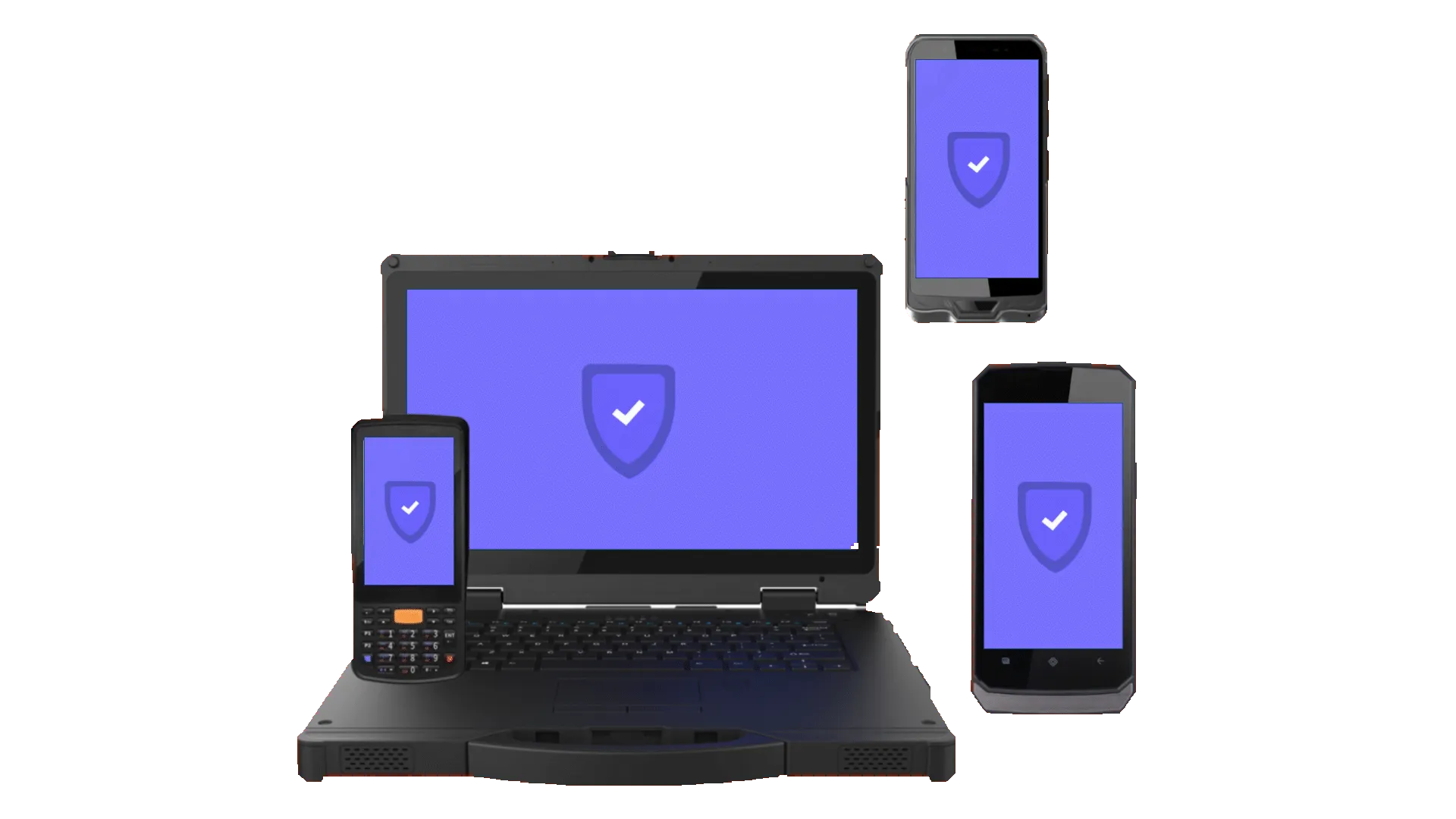
(3) Management of Windows Devices
Windows also provides enterprise management solutions to help IT professionals manage company security policies and business applications while preventing privacy breaches on personal devices. The built-in management components can communicate with the management server.
Windows management components have two parts:
– Registration Client: Used to register and configure devices to communicate with the enterprise server.
– Management Client: Regularly synchronizes with the management server to check for updates and apply the latest policies set by IT.
Third-party MDM servers can manage Windows devices using the MDM protocol. The built-in Management Client can communicate with a third-party server agent supporting the protocol described in this document to enterprise management tasks. Third-party servers provide the same consistent first-party user experience at registration, offering simplicity to Windows users. MDM servers can manage Windows without creating or downloading clients.
This article mainly introduces mobile device management capabilities; we will detail the Windows system in other articles.
(4) Management of HarmonyOS Devices
Huawei Harmony devices also provide mobile device management capabilities, including device management class APIs and application permission management class APIs, providing system-level permission management functions for applications installed on Huawei devices for enterprise environments. Currently, it’s in the initial stages.
Since most MDM capability APIs have sensitive permissions, to protect consumer rights, Huawei conducts audits developer qualifications, specific use cases of APIs, etc., and then authorizes the use of APIs only for applications in corporate environments. Currently, there are relatively few MDM platforms capable of providing mature HarmonyOS device MDM solutions, and EasyControl MDM is one of the few that can offer established HarmonyOS deviceDM solutions.
Other systems such as Linux, UOS, ChromeOS, and many others also provide device management capabilities. We will not expand on each one here, but interested friends are welcome to message privately for discussion.
Main Capabilities of Mobile Device Management
MDM is a powerful tool that can help organizations achieve security compliance in their various enterprise application scenarios. With careful planning and implementation, organizations can leverage the benefits of MDM to protect data, reduce costs, and improve efficiency.
Common manifestations of MDM capabilities include tablets used for ordering in restaurants, video advertising playback devices in public places, smart home devices, etc. Common features MDM include the following points.
1. Device Asset Management
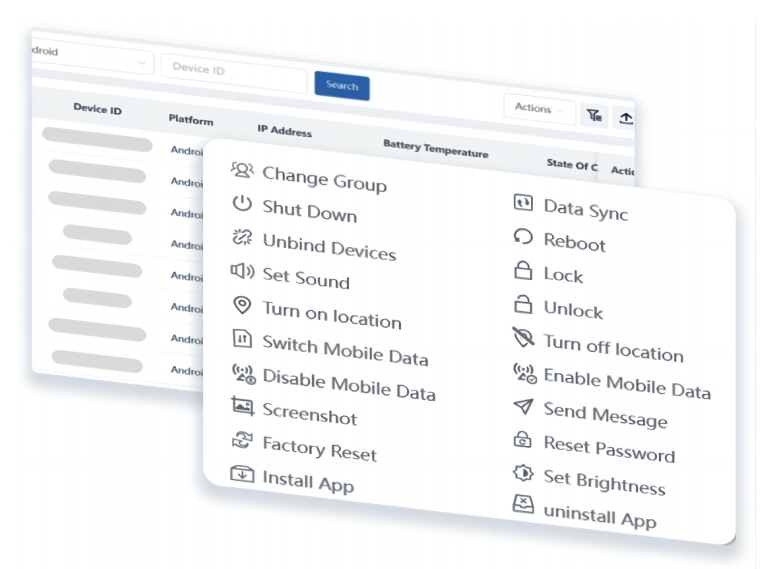
Device asset management is one of the fundamental features of a mobile device management platform. It mainly includes device information and device commands. The MDM server proactively reports device information or sends commands through interactions with the DPC or device platform APIs.
– Device Information
By device data, information about the hardware and software of devices can be obtained, including brand, model, chip, system version, etc. Performance information such as CPU, ROM, RAM usage, battery level, volume, and more can also be acquired.
– Device Commands
Device commands are one-time orders that wait for device to respond once issued. Offline devices can also receive device commands. Commands include remotely locking the device, resetting passwords, factory resets, etc., to enable batch setting capabilities for devices.
2. Policy Configuration Management
Device policy configuration management is another significant sphere of mobile device management platforms. By configuring different policies for devices, they can set according to organizational needs, meeting the diverse application scenarios of businesses. The EasyControl MDM platform regularly checks that device configurations are not modified, ensuring long-term effectiveness of device settings.
– Custom Systems
Through interaction between the DPC and MDM platform, enterprises can modify the system of a device, for example setting boot animations, screensavers, application icons, etc. MDM can customize the system of devices en masse dynamically, significantly improving management efficiency and flexibility.
– Security Settings
MDM platforms can establish different types of security settings. Through interaction with the device DPC, these settings are applied to the device. For, policies can be issued that disable the camera, screenshots, and factory resets to restrict some dangerous device features. Policies for configuring emails, WiFi, APNs, etc., can also be sent, eliminating the repetitive work of configuring each device individually. The DPC or device management platform APIs offer hundreds of policy settings to meet enterprise usage scenarios.
3. Application Policy Management
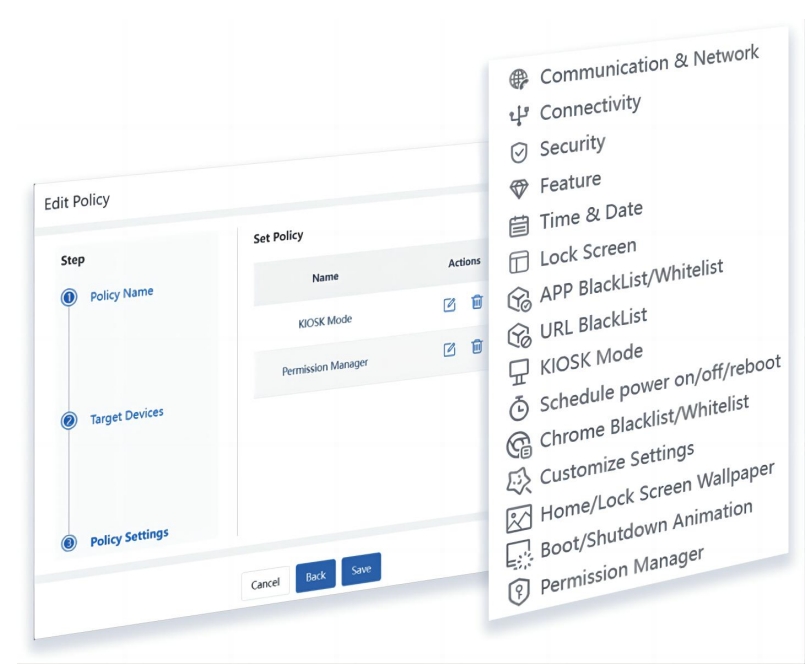
Another significant aspect of policy is the management of software applications. Industries such as education, retail, and banking have very high requirements for the control of device applications. MDM mobile device management can provide capabilities for application management.
– Application Market
The ability to provide a private app, limiting the use of applications on the device, where only designated apps can be installed on the device end. Devices can choose to freely install designated apps, or they can be installed, uninstalled, and upgraded en masse through the MDB platform. Supports silent installation and uninstallation where the device end-user will begin to without receiving any prompts.
– Application Policy
MDM offers the ability to set application policies in bulk, mainly including the application’s usage time, authorized permissions (access to camera, contacts, etc.), and not being “killed.”
– Application Kiosk Mode
Kiosk mode is one of the critical applications of management, supporting the restriction of devices to continuously use one or multiple apps and blocking standard device system operations such as power on/off, return to the home screen, etc. Many application scenarios, including sample demonstrations, retail checkouts, restaurant ordering, large screen advertising, all utilize the application’s Kiosk mode.
Remote Management Mobile device management provides the capability to remotely control devices, remotely accessing the device to check abnormalities, capturing device logs, and uploading them to the MDM server. File synchronization, remote ADB debugging, OTA upgrades, and other capabilities are used to remotely address device issues.
– File Transfer
Supports bulk upload and of device files, improving device management efficiency.
– Control Management
MDM offers the ability to remotely access, view, and control devices, significantly reducing the cost of managing dispersed devices.
– OTA Upgrade
OTA software and hardware upgrades are one of the stringent requirements of enterprise security management. Keeping the device system and software to date can effectively prevent system vulnerabilities and enhance device performance.
Alarm Management
When the device is in an abnormal usage state, the DPC or device platform API can promptly monitor the abnormal device status. MDM servers set unusual thresholds, promptly responding when anomalies occur. And once successfully set, it’s not affected by network; the security policies sent to the device still take effect.
– Geofencing
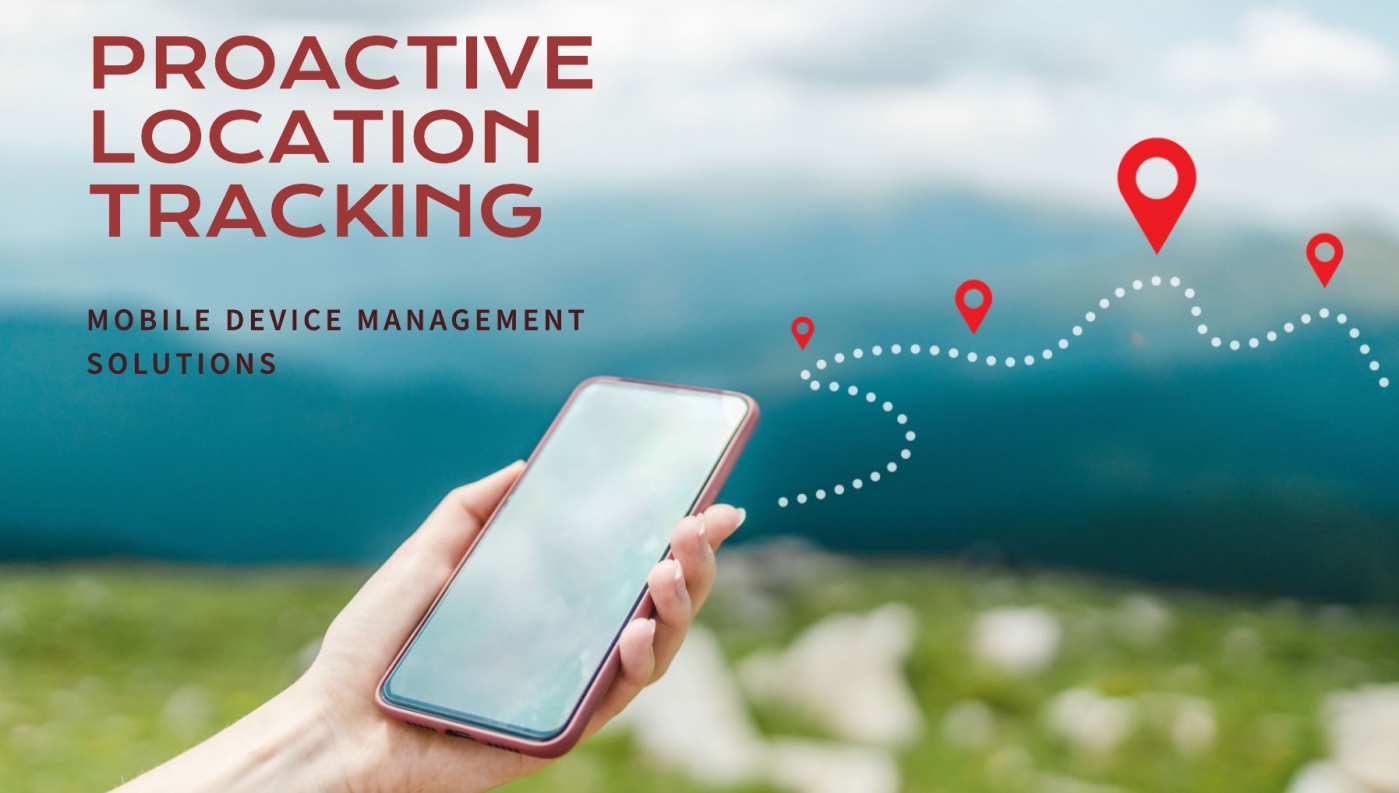
Devices can be designated to be used within a fixed geographical area and take corresponding actions when the device goes beyond the predefined geographical scope, such as sounding an alarm, sending an email, or wiping data.
– Performance Monitoring
Continuous monitoring device battery levels, CPU occupancy, memory usage, device temperature, etc., is possible, taking corresponding actions when detecting abnormal data.
– Interaction Alerts
It’s possible to monitor whether permitted interactive operations occur on the device, such as unauthorized use of USB, Bluetooth transfer, NFC transfer, etc. When abnormal interactive situations are, corresponding alarm actions are taken.
Conclusion
Mobile device management is widely applied in retail, catering, education, healthcare, logistics and warehousing, finance, advertising, and other industries. Industries such as retail and catering have transformed low-cost phones and tablet devices into dedicated devices for cash registers and ordering through Kiosk mode Education restricts the use of intelligent devices by young people through a private app market. The logistics and warehousing industry also effectively controls mobile devices scattered across different physical locations through mobile device management, significantly reducing the usage wear and tear of these expensive devices.
For example, a government needs to gather income data for a city population and has street team members using mobile devices to conduct surveys and report data. By using mobile device management capabilities, the government disabled the device’s camera, screenshot, telephone, and external data transmission capabilities to prevent the possibility of confidential data leakage from devices. Using the geofencing feature, the government designated that each device data from fixed areas. And with an application whitelist, it required the device to use only specific statistical apps to improve efficiency. After completing the statistics, device data was uploaded and archived, devices were reset, and reused, thereby reducing device costs.
As the granularity of enterprise management becomes finer, more and more enterprises are to understand, learn, and apply MDM platforms. EasyControl MDM, have years of experience in MDM mobile device management development and project experience with global customers. If you are interested in mobile device management, you are welcome to learn, communicate, and exchange with us.
Tags
Related Articles
Blog
What Is iOS Device Management? Complete Guide
Why iOS Device Management Matters for Businesses iPhones and iPads have become useful tools for businesses of all sizes. Employees use them to communicate, access company applications, manage customer information, complete fieldwork, and perform everyday tasks. Schools, retailers, healthcare organizations, and hospitality businesses also rely on Apple devices for specialized operations. But managing one or...
Sep 15, 2026
Blog
Non Compliance and Compliance: A Guide to Compliance Risk Management
Managing hundreds or thousands of smartphones, tablets, rugged devices, and other enterprise endpoints is a major challenge for IT and security teams. Every device that accesses business applications or company data must meet defined security, configuration, application, and management requirements. Understanding device compliance and non-compliance helps organizations determine whether their devices meet these requirements. However,...
Aug 27, 2026
Blog
What Is a Conditional Access System and Why Is It Important for Zero Trust Security?
Quick Answer: A conditional access system is a security framework that evaluates user identity, device compliance, security policies, location, and risk before granting access to enterprise resources. It is a key part of Zero Trust security because it verifies every access request instead of automatically trusting users or devices. Introduction In the last decade, there...
Aug 10, 2026
Continue exploring EasyControl resources
Go deeper with documentation, strategic guides, customer stories, and video content across the resource center.