
Blog
Mobile Device Management Introduction
Mobile Device Management (MDM) provides mobile device lifecycle management from device registration, activation, use, remote control, and unbinding.
- Published
- Oct 27, 2023
- Updated
- Jun 11, 2026
Mobile Device Management Introduction
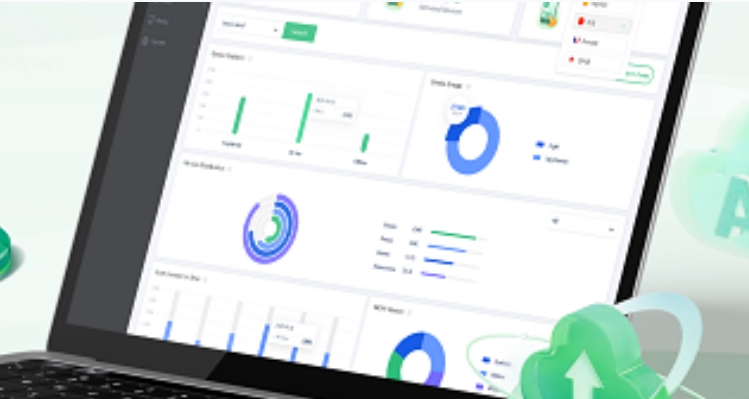
Mobile Device Management (MDM) provides mobile device lifecycle management from device registration, activation, use, remote control, and unbinding. Mainstream mobile intelligent terminal operating systems all support mobile device management to varying degrees.
The rise of Bring Your Own Device (BYOD) has led to a significant increase in the use of personal devices for work purposes. While this trend offers many benefits, it also creates new security challenges. But devices are susceptible to security threats due to the open-source nature of the operating system and the large number of third-party app stores available.
MDM provides a centralized solution to manage and secure devices, regardless of whether they are corporate-owned or personal devices used for work purposes. It enables organizations to enforce security policies, manage updates and upgrades, and monitor the use of devices to ensure compliance with company policies.
One of the key features of MDM for mobile devices is device enrollment. This enables organizations to enroll devices into the MDM system, which then allows the administrator to manage and secure the device. The enrollment process can be done through various methods, including batch enrollment, QR codes, NFC, or manual input of device information.
Another important feature is app management. MDM allows administrators to manage and control the use of apps on mobile devices, ensuring that only approved apps are installed and used for work purposes. This helps to prevent the installation of potentially harmful apps and reduces the risk of data breaches or malware infections.
MDM also provides the ability to remotely wipe data from a lost or stolen device, which is critical for protecting sensitive company data. In the event of a device loss or theft, administrators can remotely erase all data from the device, including personal and corporate data. This helps to prevent unauthorized access to sensitive information and ensures compliance with privacy regulations.
In addition, MDM for mobile devices provides security features such as device lockdown and password management. Device lockdown allows administrators to lock down devices to prevent unauthorized access, while password management helps to enforce strong password policies and ensure that passwords are changed regularly.
Finally, MDM provides real-time monitoring and reporting, allowing administrators to track device usage, monitor compliance with security policies, and identify potential security threats. This helps to ensure that devices are being used in a safe and secure manner and enables organizations to respond quickly to potential security issues.
In conclusion, MDM is essential for organizations that use mobile devices, whether they are corporate-owned or personal devices used for work purposes. It provides a centralized solution to manage and secure these devices, enabling organizations to enforce security policies, manage updates and upgrades, and monitor device usage to ensure compliance with company policies. By implementing MDM, organizations can significantly reduce the risk of security threats and protect sensitive company data.
Tags
Related Articles
Blog
What Is iOS Device Management? Complete Guide
Why iOS Device Management Matters for Businesses iPhones and iPads have become useful tools for businesses of all sizes. Employees use them to communicate, access company applications, manage customer information, complete fieldwork, and perform everyday tasks. Schools, retailers, healthcare organizations, and hospitality businesses also rely on Apple devices for specialized operations. But managing one or...
Sep 15, 2026
Blog
Non Compliance and Compliance: A Guide to Compliance Risk Management
Managing hundreds or thousands of smartphones, tablets, rugged devices, and other enterprise endpoints is a major challenge for IT and security teams. Every device that accesses business applications or company data must meet defined security, configuration, application, and management requirements. Understanding device compliance and non-compliance helps organizations determine whether their devices meet these requirements. However,...
Aug 27, 2026
Blog
What Is a Conditional Access System and Why Is It Important for Zero Trust Security?
Quick Answer: A conditional access system is a security framework that evaluates user identity, device compliance, security policies, location, and risk before granting access to enterprise resources. It is a key part of Zero Trust security because it verifies every access request instead of automatically trusting users or devices. Introduction In the last decade, there...
Aug 10, 2026
Continue exploring EasyControl resources
Go deeper with documentation, strategic guides, customer stories, and video content across the resource center.