
Blog
Enterprise Mobile Application Management: The Complete Guide
Learn how enterprise app management helps businesses control apps, improve security, and automate deployment using app stores and policies.
- 发布日期
- 2026年4月15日
- 更新日期
- 2026年7月23日
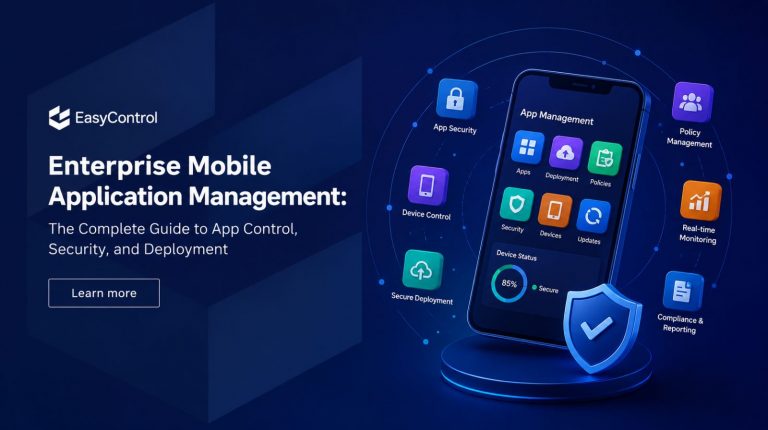
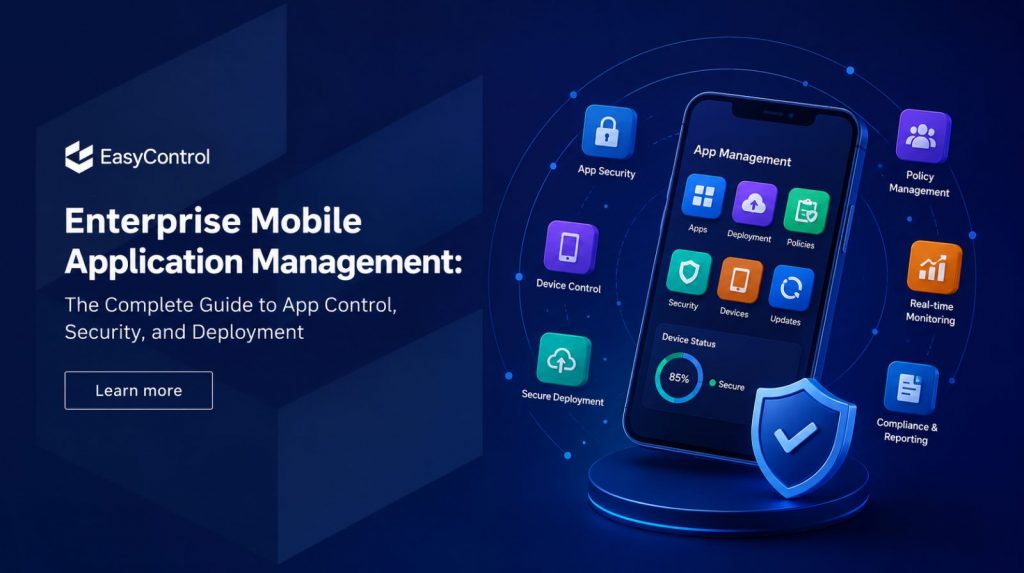
Enterprise mobile application management is the practice of deploying, securing, updating, and controlling business applications across an organization’s devices from a single console without relying on employees to install or manage software themselves. For companies running retail POS systems, logistics terminals, or field-service tablets, MAM is what keeps every device running the right apps, with the right permissions, at the right time.
Applications are no longer just tools that support business operations they are the operations. A delayed update on a warehouse scanner can stall an entire shift; an unapproved app on a shared retail tablet can open a security gap. As device fleets grow across hybrid work and multi-location operations, manually managing applications is no longer sustainable.
This guide breaks down what enterprise mobile application management actually involves, the core capabilities to look for, and how it differs from related terms like MDM and EAM.
What Is Enterprise Mobile Application Management?
Enterprise mobile application management refers to software that lets IT administrators control the full lifecycle of business app installation, updates, removal, permissions, and behavior across company-owned and BYOD devices, without physically touching each device.
Unlike basic mobile device management, which focuses on the device as a whole (locking it, wiping it, enforcing passcodes), MAM operates at the application layer — governing how specific apps behave, which are allowed to run, and how corporate data inside them is protected, even on a personal phone where the rest of the device stays outside IT’s control.
MAM typically covers four pillars:
- Silent app distribution — pushing installs, updates, and removals without user action
- App governance — whitelisting and blacklisting which apps can run
- Behavioral policies — controlling how apps act once installed (permissions, uptime, availability windows)
- Maintenance — keeping apps and devices performing reliably over time
Why Enterprise Mobile Application Management Matters in 2026
The average enterprise employee now touches three to four connected devices during a workday, higher still in frontline industries like retail, logistics, and manufacturing. Managing applications across this scale with manual processes asking employees to update apps themselves, or IT physically visiting each device, creates predictable problems: version fragmentation, unmonitored usage, delayed patches, and rising support tickets.
Hybrid work adds complexity too. Devices connect from home networks, warehouses, and client sites, often outside a traditional office IT perimeter. Without centralized application control, one outdated or compromised app can become an entry point for a security incident — which is why mobile application management has moved from a nice-to-have to a baseline requirement for any organization running more than a small, uniform device fleet.
Silent App Distribution: Deploying Apps Without End-User Involvement
Manual app installation doesn’t scale. When every rollout depends on an employee downloading or configuring an app correctly, you get version fragmentation, delayed patches, and a steady stream of support requests.
Silent distribution solves this by letting IT push app actions in the background, with zero end-user interaction. A properly configured MAM platform lets administrators:
- Install applications automatically across hundreds or thousands of devices
- Push background updates without interrupting active use
- Remove outdated or non-compliant apps instantly, fleet-wide
- Enforce consistent app versions and configurations across every endpoint
This matters most during onboarding and incident response. New devices can arrive pre-loaded with every required app, so employees are productive from day one. And when a vulnerability surfaces in a widely used app, silent distribution lets IT patch or pull it fleet-wide within minutes — not days.
App Whitelisting and Blacklisting for Business Devices
One of the most direct ways to reduce risk on company devices is controlling exactly which applications are allowed to run, where app whitelisting and blacklisting for business devices becomes a core part of any enterprise mobile application management strategy.
Blacklisting blocks specific applications identified by their app package name from being installed or launched. It’s typically used to keep non-work, high-risk, or bandwidth-heavy apps off business devices without restricting everything else.
Whitelisting flips the model: only explicitly approved apps are allowed to run, and anything not on the list is automatically blocked. This stricter approach fits devices built for a single purpose a kiosk, a POS terminal, a dedicated scanner or environments bound by strict compliance requirements.
App whitelisting and blacklisting for business devices is widely used in:
- POS systems in retail environments
- Industrial and manufacturing terminals
- Shared devices in education settings
- Corporate-owned mobile fleets with regulatory obligations
Used together, whitelisting and blacklisting give IT precise control over what runs on a device, reducing both productivity drift and the attack surface created by unmanaged apps.
Building an Enterprise App Store for Employees
Beyond controlling what’s blocked, modern MAM platforms let organizations build an internal enterprise app store a curated, IT-approved catalog employees can browse and install from, without needing public app store access or admin rights on their own devices.
An internal app store gives IT a controlled distribution channel: apps are vetted before release, updates roll out from a single source, and usage stays visible across the fleet. For BYOD environments especially, this separates approved business apps from the rest of a personal device without IT needing to manage the whole phone.
Advanced App Policies: Controlling How Apps Behave
Controlling which apps are installed is only half the picture; enterprise mobile application management also needs to govern how apps behave once they’re running. Three policies do most of the heavy lifting here:
App Keep-Alive prevents critical business apps from being accidentally or automatically closed. In logistics or real-time monitoring roles, even a brief interruption can break a workflow; keep-alive policies keep essential apps running regardless of system-level app-closing behavior.
Camera permission control restricts camera access on an app-by-app basis. In manufacturing plants or facilities handling sensitive information, unauthorized camera use is a real data-leakage risk that this closes without disabling the camera entirely.
App Time-Fencing restricts when an app can be used for example, blocking work apps outside business hours. This is especially useful on shared or shift-based devices, where limiting availability windows prevents misuse.
Together, these policies move MAM beyond install/uninstall control into genuine behavioral governance which is where most real-world security incidents and productivity losses actually happen.
App Cache Cleaning and Ongoing Maintenance
Apps accumulate cache data continuously during normal use. In small amounts, cache improves performance but left unmanaged across a large fleet, it slows response times, eats storage, and eventually causes instability.
Remote maintenance tools inside a MAM platform let IT:
- Clear application cache remotely, without physical device access
- Schedule recurring maintenance windows
- Monitor device performance in real time
- Flag potential issues before they affect users
Proactive cache and performance management extends device lifespan, reduces hardware replacement cycles, and cuts “my device is slow” support tickets a small but constant drain on IT time at scale.
Enterprise App Management vs. MAM vs. MDM: What’s the Difference?
These terms get used interchangeably, but they aren’t the same thing.
|
Term |
What it controls |
Typical use case |
|
MDM (Mobile Device Management) |
The entire device — lock, wipe, passcode, OS-level settings |
Company-owned devices needing full device control |
|
MAM (Mobile Application Management) |
Individual apps and the data inside them |
BYOD, or environments needing app-level control without full device access |
|
EAM / “Enterprise App Management” |
Often used generically for app deployment and catalog management (also the name of a specific Microsoft Intune feature) |
Overlaps with MAM, but scope varies by vendor |
In practice, most organizations need both: device-level control where devices are company-owned, and app-level control where employees use personal devices. A unified platform that handles both avoids the gaps that come from stitching together separate MDM and MAM tools.
How to Choose the Right Solution
Before evaluating vendors, get clear on what your environment needs: your device mix (company-owned, BYOD, or both), industry requirements (retail, logistics, healthcare, and finance each carry different compliance needs), deployment scale (tools that work for 50 devices often break at 5,000), policy depth (look beyond basic install/uninstall to behavioral controls like time-fencing and keep-alive), and how well it integrates with your existing device management stack.
How EasyControl Supports Enterprise Mobile Application Management
EasyControl brings silent app distribution, whitelisting and blacklisting, advanced app policies, and remote maintenance into a single console built to support both company-owned and BYOD device fleets across Android, iOS, macOS, Windows, and Linux. For IT teams managing app governance across multiple device types and locations, that means one policy framework instead of several disconnected tools.
Conclusion
Enterprise mobile application management has moved well past simple app installation. A complete strategy now covers silent deployment, precise whitelisting and blacklisting, behavioral policies like time-fencing and camera control, and ongoing maintenance all managed centrally, at scale.
Organizations that treat app management as a full lifecycle discipline, not a one-time setup task, see the results directly: fewer security incidents, less manual IT work, and a more consistent experience across every device in the fleet.
Frequently Asked Questions
Q1. What is enterprise mobile application management?
Software that lets IT teams deploy, update, secure, and control business applications across company and employee devices from one console, without physical access to each device.
Q2. How are apps managed on company-owned devices?
Silent deployment, whitelisting or blacklisting specific apps, and behavioral policies such as time-fencing or permission restrictions — all managed from a MAM platform.
Q3. What is the difference between app whitelisting and blacklisting? Blacklisting blocks specific named apps, but lets everything else through. Whitelisting is stricter because it only allows pre-approved apps and blocks everything else, so it’s usually used on single-purpose or kiosk devices.
Q4. Is enterprise mobile application management the same as MDM? No. MDM manages the entire device; MAM manages individual apps and the data inside them. Most organizations use both together MDM for company-owned devices, MAM for BYOD or app-specific control.
Q5. Can mobile application management work on personal (BYOD) devices?
Yes, because it operates at the app level rather than the device level, MAM secures business apps on a personal device without IT needing control over the rest of the phone.
标签
Related Articles
Blog
What Is iOS Device Management? Complete Guide
Why iOS Device Management Matters for Businesses iPhones and iPads have become useful tools for businesses of all sizes. Employees use them to communicate, access company applications, manage customer information, complete fieldwork, and perform everyday tasks. Schools, retailers, healthcare organizations, and hospitality businesses also rely on Apple devices for specialized operations. But managing one or...
2026年9月15日
Blog
Non Compliance and Compliance: A Guide to Compliance Risk Management
Managing hundreds or thousands of smartphones, tablets, rugged devices, and other enterprise endpoints is a major challenge for IT and security teams. Every device that accesses business applications or company data must meet defined security, configuration, application, and management requirements. Understanding device compliance and non-compliance helps organizations determine whether their devices meet these requirements. However,...
2026年8月27日
Blog
What Is a Conditional Access System and Why Is It Important for Zero Trust Security?
Quick Answer: A conditional access system is a security framework that evaluates user identity, device compliance, security policies, location, and risk before granting access to enterprise resources. It is a key part of Zero Trust security because it verifies every access request instead of automatically trusting users or devices. Introduction In the last decade, there...
2026年8月10日